


Today’s date, always today.
;today → Keep it current.
Drop in dates and times automatically. Tomorrow’s date? Next week’s? That too.
 kudzu
A free text expander and clipboard manager for your Mac.
Your best words, a few keystrokes away.
Free & open source·macOS 14+·Apple Silicon & Intel·Notarized by Apple
Pick a snippet
Type its shortcut

A warm hello
Just a practice run. On your Mac, this works in every app that accepts text.
The same introduction. That link you’re always looking for. The thing you copied five minutes ago. Kudzu keeps the little things close, so you can get on with the good stuff.
Turn the things you type all the time into shortcuts you’ll actually remember. Email replies, addresses, code, your very particular sign-off. Write it once. Make it yours.
Try your first shortcut;hellonowHey there!
So lovely to hear from you. Thanks for reaching out — I’m excited to see what we can make together.
Let’s get into it.
Your clipboard has a memory now. Find that link, color, image, or perfect turn of phrase. Search what you’ve copied, pin the keepers, and paste right where you left off.
Same starting point. The right details, every time.
Let your snippets do a little thinking for you.
;today → Drop in dates and times automatically. Tomorrow’s date? Next week’s? That too.
Fill in a name, choose from a dropdown, and make every reply feel like you wrote it just now.
Nest snippets inside snippets. Update your signature once, and use it wherever it belongs.
Bold, links, lists, and embedded images, pasted as rich text where apps support it.
Press ⌃⌥Space in any app. Search names, triggers, and content, then insert.
Allow or block snippets by app, and choose how each one inserts its text.
See expansions, characters, and time saved. What you type is never stored.
Your snippet library follows you between Macs through your private iCloud.
Daily local backups, with the last 14 kept and one click to restore.
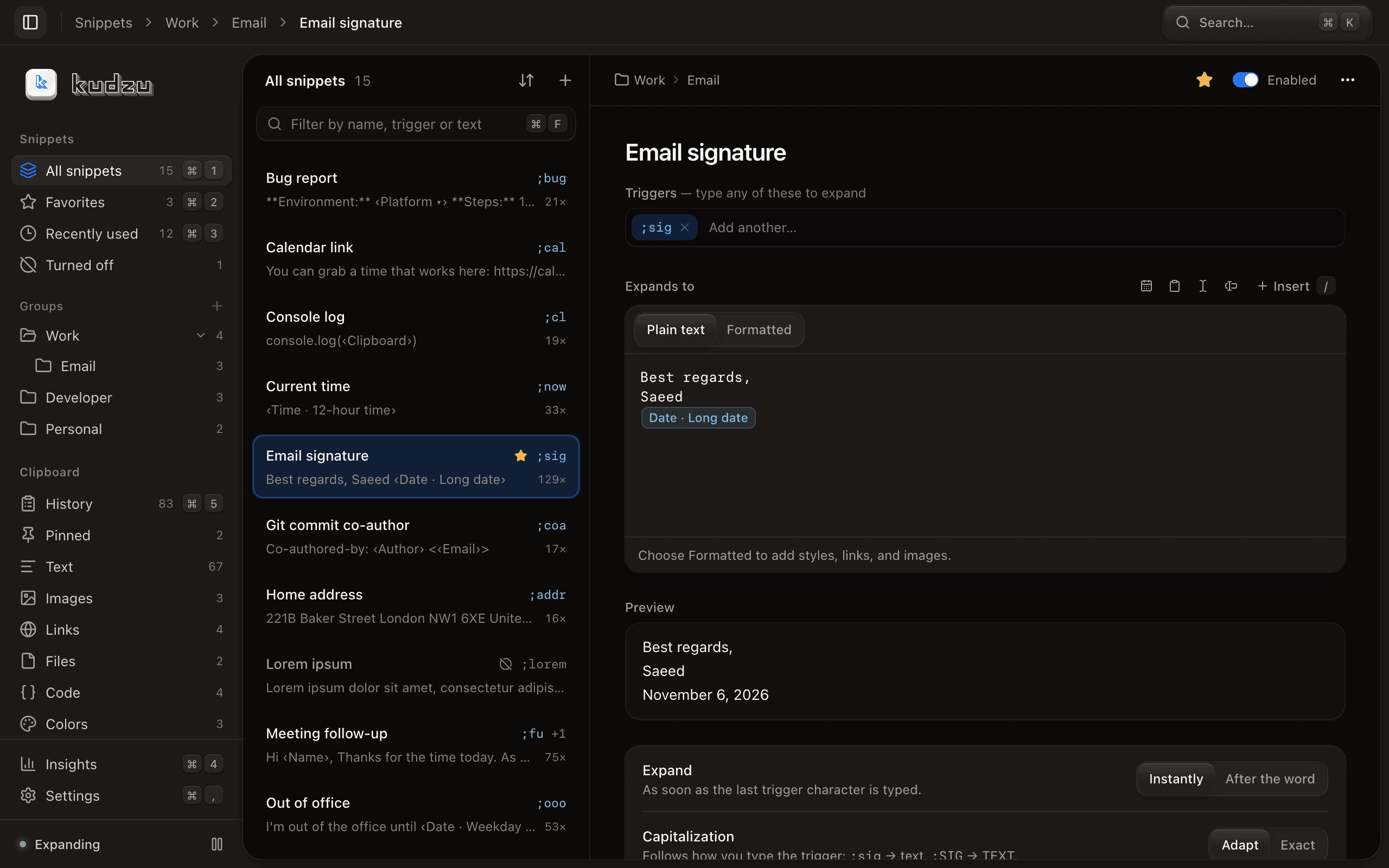
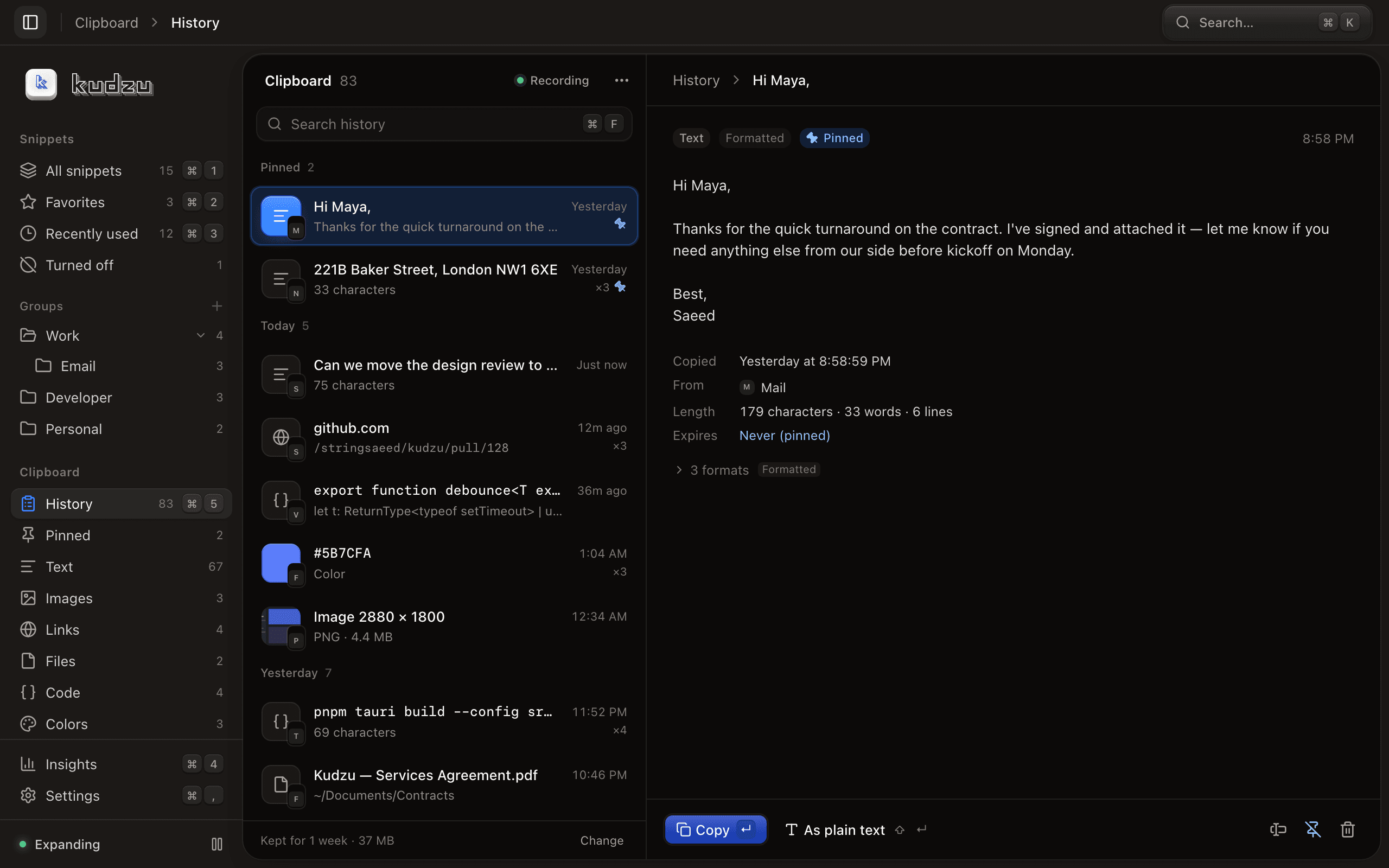
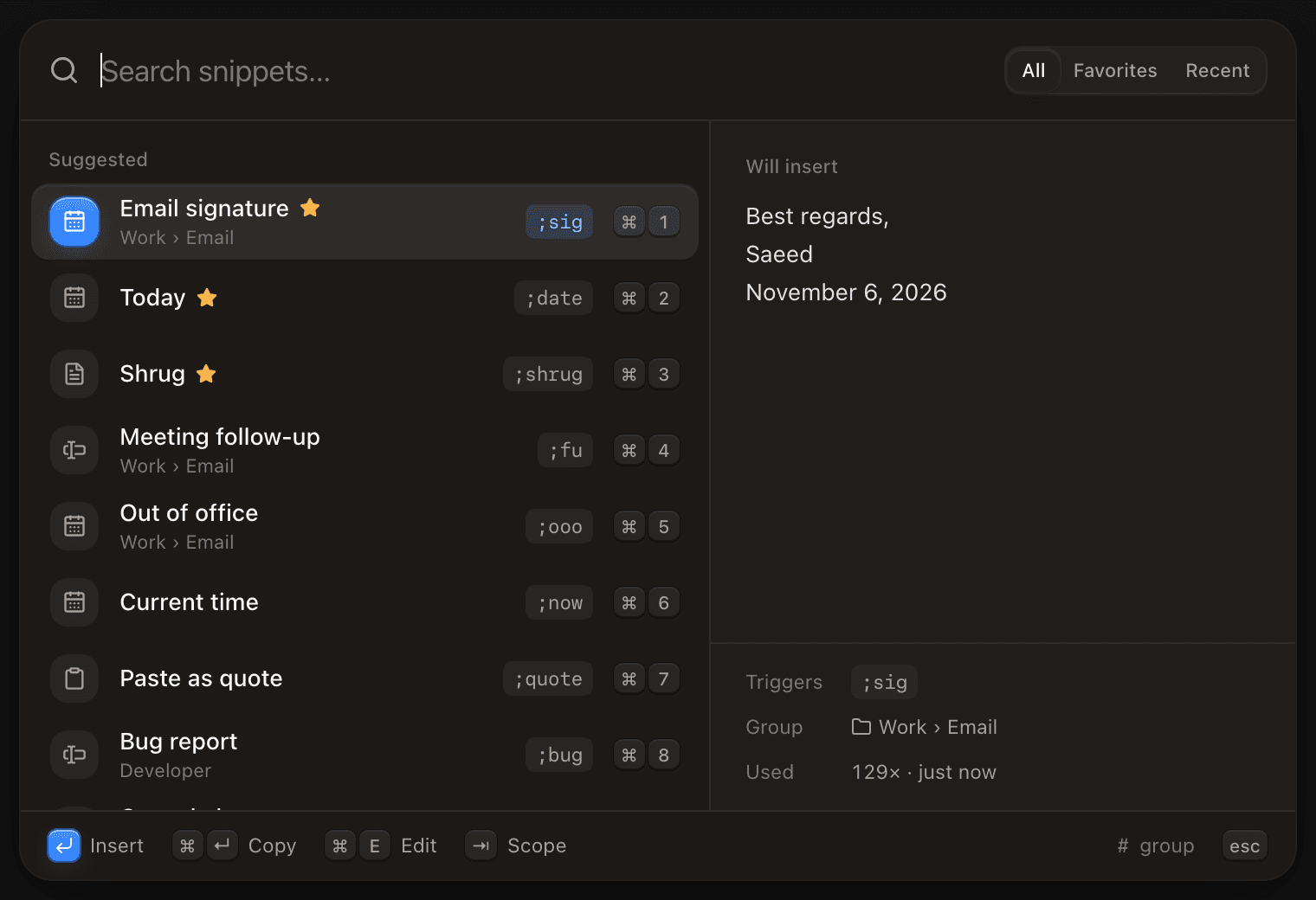
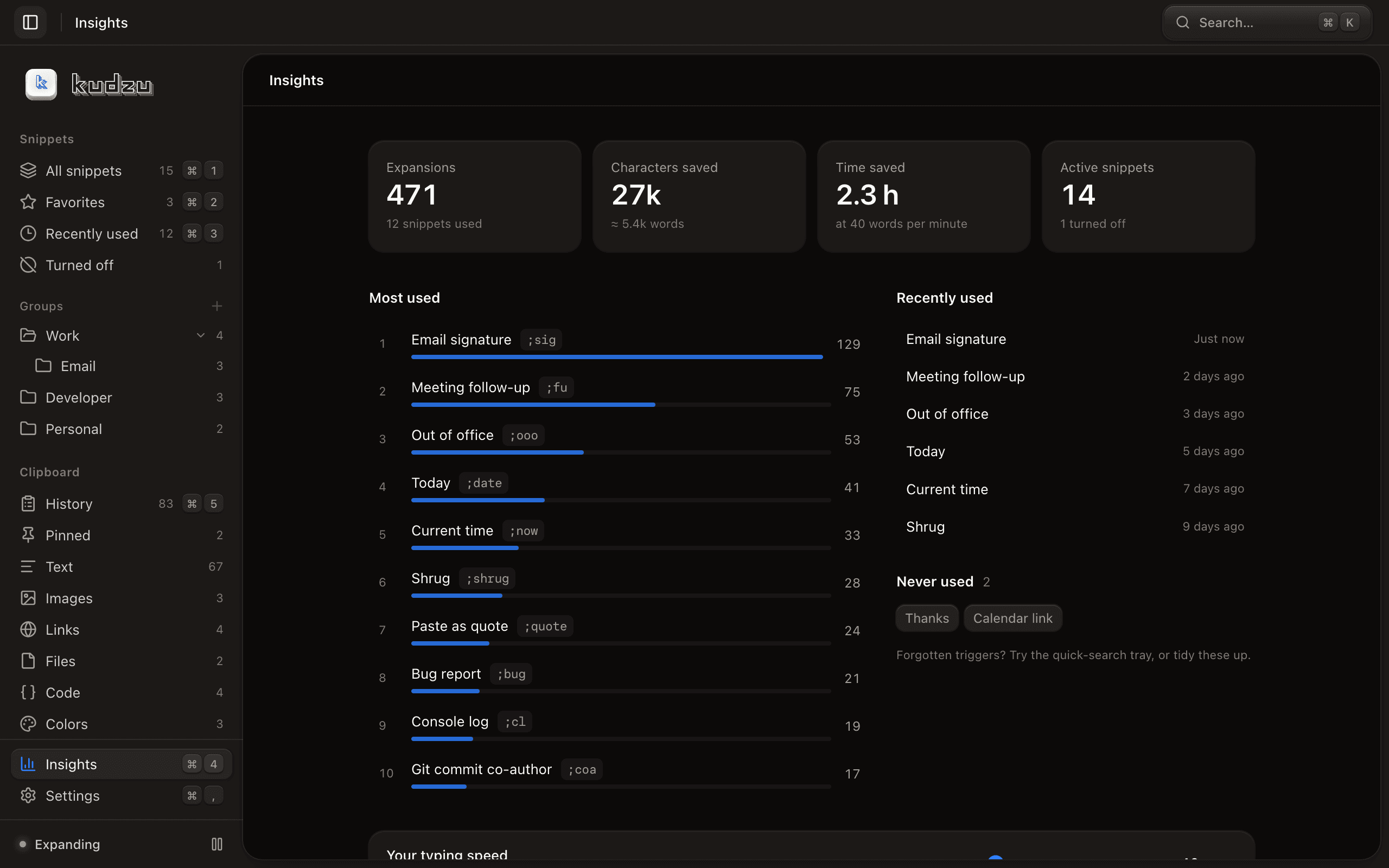
Groups, favorites, a live preview, and rules for every snippet. Shown with sample data.
No account to create. No subscription to cancel. No analytics watching over your shoulder. Just a useful little app, doing its thing.
Open source. Come have a look.Your clipboard history stays on your Mac. Password managers are excluded by default, and concealed clipboard content is skipped.
Turn on iCloud sync and your snippet library travels between your Macs through your private iCloud database, which Kudzu’s developer can’t see.
Import from Espanso. Export to JSON or YAML. Daily local backups keep a little extra peace of mind.
A text expander has to watch for your shortcuts, so macOS asks you to approve Accessibility access (called Device Control and Data Access on macOS 27 and later). Here’s exactly what that’s for.
You stay in charge: macOS owns the permission, and you can revoke it in System Settings at any time. Read the key buffer or the whole engine. Privacy details
An honest look at how Kudzu compares,
and what moving over really takes.
Little app. Straight answers.
Yes. Kudzu is free and open source under the MIT license. No subscription, no account, and no paid tier to unlock the features you came for.
Only enough to spot your shortcuts. Kudzu keeps a short rolling buffer of recent keys in memory and never stores what you type. See exactly what it can see, or read the source code.
Kudzu needs macOS 14 Sonoma or later and runs on both Apple Silicon and Intel Macs. Download the universal DMG, move Kudzu to Applications, and follow the setup guide.
Kudzu expands text across your Mac, wherever an app supports text insertion. It includes per-app rules and insertion settings for apps that behave differently. Password managers are excluded by default, and macOS Secure Input can pause expansion.
Kudzu needs macOS permissions to recognize your shortcuts and insert their text into other apps. Onboarding walks you through the setup. Typed text is not stored; your snippet library and local clipboard history are separate.
Absolutely. Kudzu can detect and import an existing Espanso library, including supported dates, clipboard variables, forms, and nested snippets. Unsupported script and rich-text features are imported as plain text with warnings so you can review them.
Kudzu checks for updates and lets you install and restart when you’re ready. You can also check manually in Settings → About. Your library gets a backup before an update migration.
 MAKE ROOM FOR YOUR NEXT GOOD THOUGHT.
Free. Open source. Yours.·macOS 14+·Version 0.5.0
brew install --cask stringsaeed/tap/kudzuOpen the DMG and move Kudzu over. It’s signed and notarized, so it opens normally.
A guided helper sits beside System Settings and walks you through the permission.
Practice in the preview, then use it anywhere. Espanso users can import on the way.